
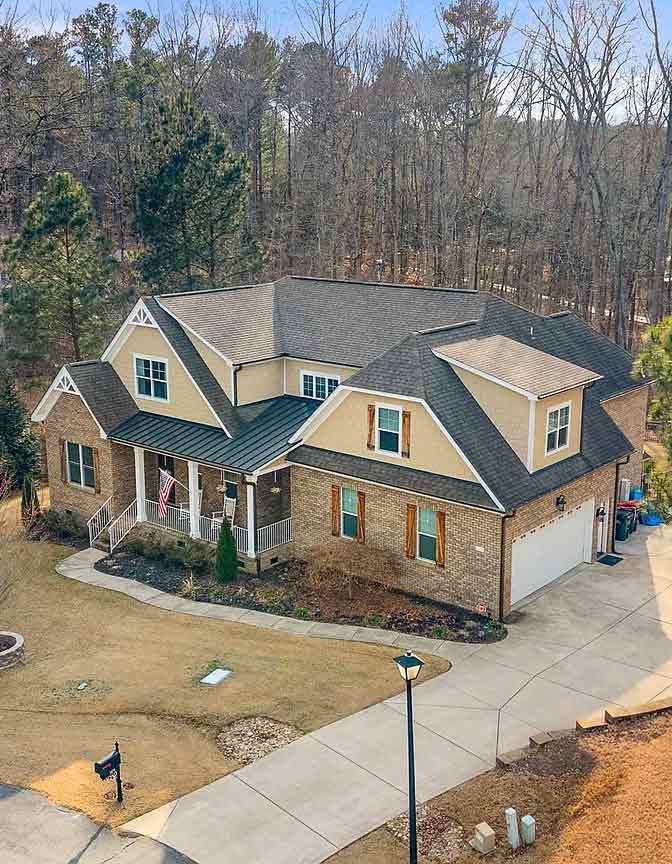
The 3D rendering design Charlotte NC process has gone from a luxury upcharge to a standard step on serious custom home and remodel projects, and the reason is simple: a photoreal walkthrough catches mistakes that floor plans and elevations hide. We produce 3D renderings and walkthroughs on every CDG custom home and major remodel across Charlotte, Lake Wylie, Fort Mill, and the surrounding Carolinas, and the questions we get asked most are about what you actually receive, what it costs, and how to tell a real 3D walkthrough company from a render shop that sells pretty pictures.
Our 3D rendering services are included on every custom home and major remodel we build across the Carolinas, so the walkthrough you see is the home you get.
This is the honest breakdown we give clients in 2026 — what a 3D rendering and walkthrough includes at CDG, where the pricing actually lands in the Charlotte market, and what separates a buildable rendering from eye candy.
What is 3D rendering design for custom homes and remodels?
3D rendering design is a dimensionally accurate digital model of your custom home or remodel, rendered with realistic materials, lighting, and finishes so you can see the finished space before construction begins. CDG builds every model from your actual floor plan, site survey, and finish selections, not a generic template, so what you see is what gets built in Charlotte.
3D rendering design is the process of building a dimensionally accurate digital model of your home or renovation, then rendering it with realistic materials, lighting, and finishes so you can see the finished space before construction starts. A true 3D rendering is modeled from your actual floor plan, site, and structural details — not a stock template dressed up with your finishes.
What the model is built from
At CDG we build the 3D model from your finalized floor plan, your site survey, and the real finish selections you have made or are considering. That means wall heights, window placement, ceiling pitches, cabinetry runs, and material transitions are all represented at scale. The rendering is a construction document, not just a marketing image.
Static render vs interactive walkthrough
A static render is a single photoreal image from one camera angle. A 3D walkthrough is an interactive or animated path through the model — you can move through the kitchen, turn to look at the fireplace wall, walk out onto the porch, and see how the morning light hits the island. The walkthrough is what most Charlotte clients find genuinely decision-changing.
- 3D rendering = a dimensionally accurate digital model of your actual project
- Built from your real floor plan, site survey, and finish selections
- Static render = one photoreal image; walkthrough = move through the space
- The walkthrough is what catches layout and proportion mistakes floor plans hide
What does a 3D walkthrough actually show you?
A 3D walkthrough shows ceiling volume, sightlines between rooms, how a kitchen island relates to the living area, and how natural light moves through the space during the day. Charlotte clients typically catch and adjust something after the first walkthrough, such as a window size or wall placement, fixing it in software instead of during framing.
A 3D walkthrough shows you the things you cannot reliably read from a 2D plan: ceiling volume, sightlines between rooms, how a kitchen island interacts with the living area, whether a hallway feels tight, and how natural light moves through the space across the day. Clients almost always adjust something after the first walkthrough — cabinet height, a window size, a wall removal — and those changes cost minutes in software instead of thousands in framing.
The changes clients make after seeing the walkthrough
On real CDG projects, the most common post-walkthrough changes are widening a passage or opening a wall, raising or lowering cabinet heights, resizing a window to balance a elevation, and repositioning an island so it does not block a sightline. These are exactly the changes that are expensive to make after framing.
How much does 3D rendering cost in Charlotte, NC?
3D rendering in Charlotte costs $300 to $800 for a single-room static render or $1,500 to $5,000 for a full-home exterior and interior package, depending on square footage and finish complexity. CDG includes basic 3D renderings in the pre-construction design phase of custom home builds, so most clients pay nothing extra for them.
3D rendering pricing in Charlotte depends on scope and detail level. A single-room static render typically runs $300 to $800. A full-home exterior and interior render package runs $1,500 to $5,000 depending on square footage and finish complexity. An interactive walkthrough adds cost on top. At CDG, basic 3D renderings are included in our pre-construction design phase on custom home builds, so most custom home clients do not pay separately for them — the cost is built into design development.
Industry pricing surveys, including data reported by the ArchDaily architectural community and major rendering studios, place professional architectural renderings in roughly the same per-image ranges, with full-home packages climbing as detail and resolution increase.
- Single-room static render: $300-$800
- Full-home interior + exterior render package: $1,500-$5,000
- Interactive walkthrough: additional cost on top of static renders
- At CDG, basic renderings are bundled into custom home design development
Why does CDG include 3D walkthroughs on every custom home?
CDG includes 3D walkthroughs on every custom home because they reduce change orders during construction. Clients who walk through their layout in 3D before framing make confident decisions that hold through the build, while clients relying on paper plans alone are far more likely to request costly mid-build changes that delay the schedule.
We include 3D walkthroughs because they reduce change orders. After 30-plus years of residential construction across the Carolinas, the pattern is consistent: clients who walk through the space in 3D before framing make their layout decisions with confidence, and those decisions hold. Clients who build from paper plans alone are the ones who request mid-build changes that slow the schedule and inflate the budget.
As a licensed general contractor in both states — North Carolina GC #109535 and South Carolina GC #G127477 — CDG runs the design and the build under one license and one accountable team, which is why the renderings reflect what we can actually construct.
How does the 3D rendering process work at CDG?
CDG's 3D rendering process starts by locking the 2D floor plan and structural layout, then builds the 3D model from that finalized plan plus your lot survey and site orientation. Nothing is rendered until the plan is locked, because a model built on an unresolved plan simply renders the wrong house in convincing detail.
Our 3D rendering process follows the same sequence on every custom home and major remodel, and knowing the steps helps you understand why the timeline and cost land where they do. Nothing is generated until the underlying plan is locked, because a rendering built on an unresolved plan just renders the wrong house beautifully.
- Plan lock — we finalize the floor plan, structural layout, and exterior massing in 2D first. The 3D model is built from this locked plan, not the other way around.
- Site and orientation input — your lot survey, setback, and orientation are added so light and view angles reflect reality, not a default north arrow.
- Finish selections applied — cabinetry, counters, flooring, wall finishes, and exterior materials are applied as the actual products you are choosing, with correct color and texture.
- Static render pass — we render the key interior views (typically kitchen, great room, primary bath, and key exterior elevations) at photoreal quality.
- Walkthrough build — the interactive path is assembled so you can move through the spaces and turn to inspect sightlines, ceiling volume, and transitions.
- Review and revision round — you walk through with us, request changes, and we update the model. Adjustments captured here are the ones that would have cost thousands in framing.
Because CDG holds both the design and the build under one licensed team, the rendering moves straight into construction documents without translation loss between a separate designer and a separate builder.
What should you look for in a 3D walkthrough company in Charlotte?
Look for a 3D walkthrough company in Charlotte that builds models from your real floor plan and site rather than a reused template, keeps dimensions accurate to scale, and uses your actual finish selections. A rendering is only useful if it reflects the exact home you can legally permit and build.
If you are evaluating a 3D walkthrough company Charlotte NC option, the question is not who produces the prettiest image — it is who produces a rendering you can build from. Use this checklist.
- Built from your real plans — the model should be generated from your actual floor plan and site, not a reused template.
- Dimensionally accurate — ceiling heights, window sizes, and cabinetry should be to scale, not eyeballed for effect.
- Real finish selections — the materials shown should be the actual products you are choosing, with correct color and texture.
- Site and light context — the rendering should account for your lot orientation and how real light moves through the space.
- Connected to a builder — a walkthrough produced by the team that will build the project carries construction accountability a render shop cannot offer.
- Revision rounds included — you should get at least one revision round after the first walkthrough so adjustments are captured.
- Licensed contractor behind it — in North Carolina, any remodel over $30,000 requires a licensed GC; in South Carolina the LLR threshold is $5,000. A 3D walkthrough tied to a licensed builder means the design is buildable under code.
3D rendering vs 2D floor plans: when does each make sense?
2D floor plans remain essential as the legal permitting document and for precise room dimensions, while 3D rendering translates those plans into an experience you can walk through. Use 2D plans for dimensions and permitting, and use 3D rendering to confirm proportion, natural light, flow, and finish choices before construction starts.
2D floor plans are still essential — they are the legal and permitting document and they communicate room sizes and adjacencies precisely. 3D rendering does not replace them; it translates them into something you can experience. Use 2D plans for dimensions, permitting, and hard numbers. Use 3D rendering for proportion, light, flow, and finish confirmation.
When 2D is enough
For a simple, single-trade remodel with no layout changes — a countertop swap, a flooring replacement, a straight cabinet refacing — 2D plans and material samples are usually sufficient and 3D rendering is unnecessary spend.
When 3D earns its cost
For any project that moves walls, changes ceiling volume, reconfigures a kitchen or bath, or involves custom cabinetry and integrated finishes, the 3D walkthrough pays for itself in avoided change orders on the first decision it changes.
- 2D plans: dimensions, permitting, room sizes — the legal document
- 3D rendering: proportion, light, flow, finish confirmation
- Simple single-trade swaps: 2D plus samples is usually enough
- Anything that moves walls or customizes finishes: 3D earns its cost fast
Frequently asked questions
What is included in a 3D rendering and walkthrough from CDG?
You receive a dimensionally accurate 3D model built from your finalized floor plan and site, static photoreal renders of the key interior and exterior views, and an interactive walkthrough that lets you move through the space. On custom home builds, basic renderings are included in design development with at least one revision round.
How much does 3D rendering cost for a Charlotte custom home?
Standalone, a single-room static render runs $300-$800 and a full-home render package runs $1,500-$5,000 depending on square footage and finish complexity. At CDG, basic 3D renderings are bundled into the pre-construction design phase on custom home builds, so most custom home clients do not pay separately.
How long does a 3D walkthrough take to produce?
For a custom home, a first-pass interior and exterior render set typically takes 2 to 4 weeks after the floor plan and finish selections are locked. Revision rounds add a few days each. We sequence the walkthrough into the design phase so it never delays your construction start.
Can I use the 3D rendering to make changes before construction?
Yes — that is the entire point. You get at least one revision round after the first walkthrough, and most clients adjust cabinetry height, window size, a wall opening, or an island position. Those changes cost minutes in software instead of thousands in framing.
Is 3D rendering worth it for a remodel, or only new builds?
It is worth it for any remodel that moves walls, changes ceiling volume, or reconfigures a kitchen or bath. For a simple single-trade swap with no layout change, 2D plans and material samples are usually sufficient and 3D is unnecessary spend.
Does CDG produce 3D walkthroughs for projects outside Charlotte?
Yes. We produce 3D renderings and walkthroughs for custom home and remodel projects across the greater Charlotte region including Lake Wylie, Fort Mill, Belmont, Huntersville, Mooresville, and Rock Hill, as well as surrounding Mecklenburg, York, Gaston, Lancaster, Cleveland, and Iredell county projects.
See your Charlotte project in 3D before we build
If you want to walk through your custom home or remodel in photoreal detail before a single wall goes up, that is exactly what our 3D rendering design delivers across Charlotte and the Carolinas. Call (704) 619-6293 or reach us through our contact page, and we will walk you through what your specific project would look like in 3D.
We will model your real floor plan, apply your real finish selections, and let you move through the space so the decisions you make before framing are the decisions you keep after move-in.